SQL to ER Diagram vs dbdiagram.io
Both tools turn text into an ER diagram. dbdiagram.io is an editor built around the DBML language; SQL to ER Diagram is a free, open-source page that reads the schema you already have and never uploads it.
Open SQL to ER Diagram →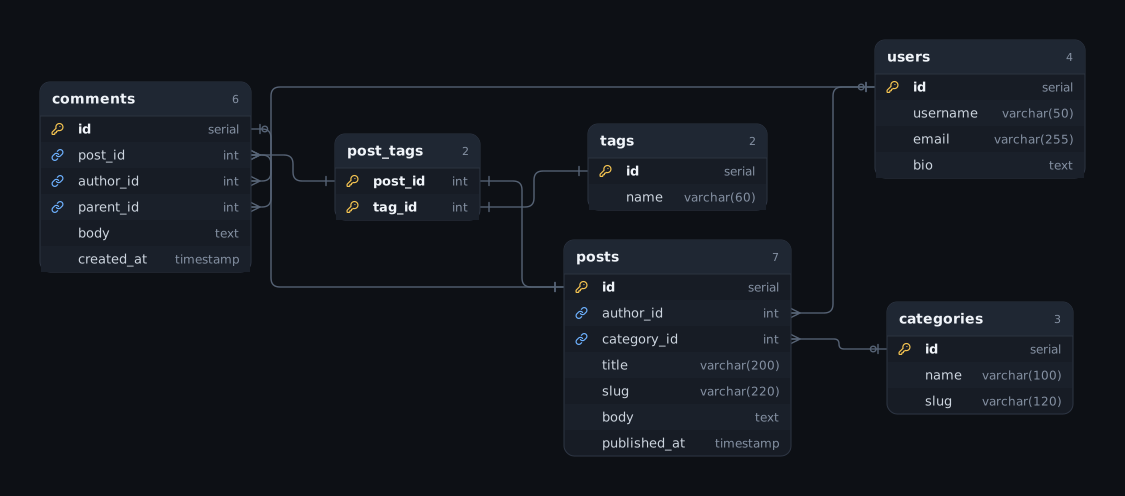
At a glance
- What it is
- SQL to ER Diagram is a free, open-source browser tool that turns a schema you already have into an interactive entity-relationship (ER) diagram.
- Input
- SQL DDL for PostgreSQL, MySQL, MariaDB, SQLite, SQL Server, Oracle, Snowflake and BigQuery, plus Prisma, DBML, Mermaid, PlantUML, SQLAlchemy and Sequelize schemas.
- Output
- An interactive ER diagram you can rearrange, then export as PNG, SVG, Mermaid, DBML or PlantUML, or share as a link.
- Cost
- Free. MIT-licensed open source. No account or signup.
- Privacy
- Runs entirely in your browser. The schema is never uploaded, and share links carry the diagram in the URL fragment, which is not sent to a server.
- Limits
- It never connects to your database itself: you paste schema text, or run one read-only catalog query in your own client and paste the result. There are no accounts, so there is no real-time multi-user editing; diagrams are kept in your browser, as a saved file, or as a share link. Layout stays smooth at around 300 tables.
What dbdiagram.io is
dbdiagram.io is a database diagram editor made by Holistics. You describe the schema as DBML code in its editor and the diagram is drawn from that code as you type. DBML, the language it is built around, is open source. It can also generate a diagram from a database or a SQL dump file, and generate the SQL to create the tables. Diagrams can be shared online, and a team can be invited to collaborate on them.
See dbdiagram.io for its current features and pricing.
What SQL to ER Diagram is
- Free and open source under the MIT license. There are no paid plans.
- No signup. There are no accounts; you open the page and paste a schema.
- Runs entirely in your browser. The schema is parsed and drawn locally and is never uploaded to a server.
- Reads the schema you already have: SQL DDL for PostgreSQL, MySQL, MariaDB, SQLite, SQL Server, Oracle, Snowflake and BigQuery, plus Prisma, DBML, Mermaid, PlantUML, SQLAlchemy, Sequelize, TypeORM entities and Django models.
- Imports from a live database without connecting to it: you run one read-only catalog query in your own client and paste the result.
- Converts and migrates: exports the schema as DDL for another SQL dialect, and compares two versions to produce migration SQL.
- Exports PNG, SVG, Mermaid, DBML and PlantUML, copies the diagram to the clipboard, and makes share-ready snapshot images.
- Share by URL: a share link encodes the whole diagram in the URL fragment, which browsers do not send to a server.
- Editor features: undo/redo, a ⌘K command palette that jumps to any table or column, a minimap, and a clickable list of parse problems.
- Works offline after the first visit, and stays smooth at around 300 tables because layout runs in a Web Worker.
- Headless CLI that turns a schema file into an SVG, for docs and CI.
When to choose which
Choose SQL to ER Diagram when
- You already have SQL, a database dump, or a Prisma, SQLAlchemy or Sequelize schema and want the diagram without rewriting it as DBML.
- The schema must not leave your machine: nothing is uploaded and there is no account.
- You want a free, MIT-licensed tool you can self-host or run from a CLI.
Choose dbdiagram.io when
- You want DBML to be the source you write and keep.
- Your team wants to collaborate on the same diagrams online.
What SQL to ER Diagram does not do
- It has no accounts and no server, so there is no real-time multi-user editing and no cloud workspace. Diagrams and their version history live in your browser, in a file you save, or in a link you share.
- It never connects to your database itself: you paste schema text, or run one read-only catalog query in your own client and paste its result.
FAQ
Can I move a diagram between dbdiagram.io and SQL to ER Diagram?
Yes, through DBML. SQL to ER Diagram reads DBML, so you can paste DBML text into it, and it exports any schema as DBML that other DBML tools can read.
Do I need to learn DBML to use SQL to ER Diagram?
No. Paste the SQL DDL, Prisma schema or ORM models you already have and the diagram is drawn from that. DBML is one of the supported inputs and outputs, not a requirement.
Does SQL to ER Diagram support team collaboration?
Not in real time. There are no accounts or shared workspaces; you share a diagram by sending a link or a saved file. If your team needs to edit the same saved diagram together, a hosted tool with accounts is the better fit.
Which ER diagram tool does not upload my schema?
SQL to ER Diagram parses and draws the schema entirely in your browser. Nothing is uploaded, and share links carry the diagram in the URL fragment, which is not sent to a server.
Related
This comparison is written by the maintainers of SQL to ER Diagram. It describes other products only in general terms and lists no prices or plan limits, because those change. Check each product’s own site for its current features and pricing. Product names are trademarks of their respective owners.